🎓How I Study AIHISA
📖Read
📄Papers📰Blogs🎬Courses
💡Learn
🛤️Paths📚Topics💡Concepts🎴Shorts
🎯Practice
📝Daily Log🎯Prompts🧠Review
SearchSettings
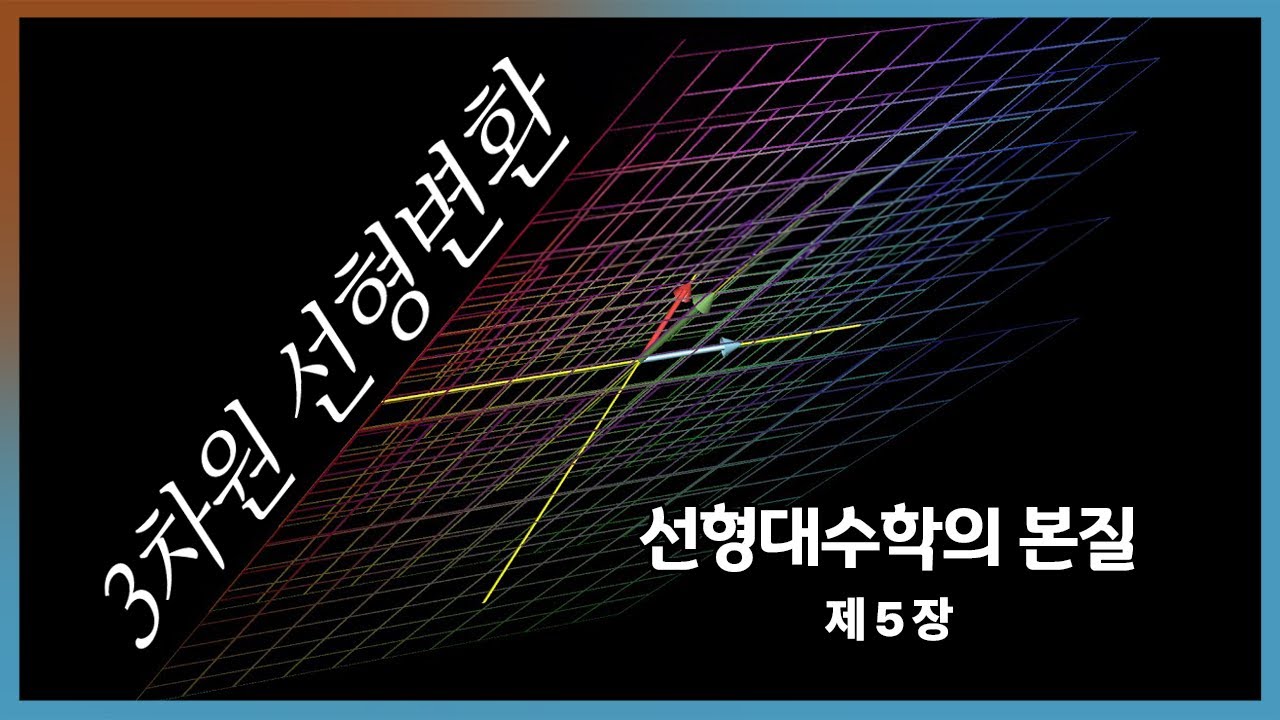
Chapter 5: Three-dimensional linear transformations | Essence of Linear Algebra | How I Study AI
📚 선형대수학의 본질6 / 12
PrevNext
Chapter 5: Three-dimensional linear transformations | Essence of Linear Algebra
Watch on YouTube

Chapter 5: Three-dimensional linear transformations | Essence of Linear Algebra

Beginner
3Blue1Brown Korean
AI BasicsYouTube

Key Summary

  • •Three-dimensional linear transformations change the whole 3D space while keeping the origin fixed and all grid lines straight and parallel. This is just like in 2D, but now there are three axes: x, y, and z. These transformations stretch, rotate, shear (slant), or reflect the space without bending or curving it.
  • •Any 3D linear transformation is fully described by what it does to the three basis vectors: i-hat (1,0,0), j-hat (0,1,0), and k-hat (0,0,1). Once you know where these three arrows move, you know what happens to every other vector. This is because every vector is a mix (linear combination) of i-hat, j-hat, and k-hat.
  • •You can write a 3D linear transformation as a 3x3 matrix. The first column is the new position of i-hat, the second column is the new position of j-hat, and the third column is the new position of k-hat. Multiplying this matrix by any vector gives the transformed vector.
  • •Matrix–vector multiplication is a fast way to compute the exact linear combination of the transformed basis vectors. If a vector v equals a*i-hat + b*j-hat + c*k-hat, then T(v) equals a*T(i-hat) + b*T(j-hat) + c*T(k-hat). This is how linearity works in 3D.
  • •Example: Suppose T(i-hat) = (1, -1, 1), T(j-hat) = (-1, -1, 1), and T(k-hat) = (1, 1, 1). For v = 3*i-hat - 2*j-hat + 5*k-hat, the transformed result is 10, 0, 6. This comes from adding 3*(1,-1,1) + (-2)*(-1,-1,1) + 5*(1,1,1).
  • •Matrix multiplication matches doing one linear transformation after another. If you first rotate and then shear, multiply the shear matrix by the rotation matrix in that order to get a single matrix for the combined effect. The order matters because the output of the first becomes the input of the second.
  • •

Why This Lecture Matters

Understanding 3D linear transformations is essential for anyone who needs to control or predict motion and shape in space. Software engineers in graphics use these matrices to rotate, scale, and position models and cameras smoothly. Roboticists depend on them to move arms and tools through precise paths, stacking many small transformations with correct order. Physicists use them to switch coordinate systems and analyze rotations and symmetries without changing the underlying physics. This knowledge solves practical problems like how to rotate an object around an axis, how to combine multiple moves into one efficient step, and how to avoid mistakes from the wrong order of operations. It also helps you interpret matrices quickly: columns show new axes, determinants reveal volume changes, and orthogonality signals pure rotation. In real projects, this saves time and reduces bugs because you can design, check, and debug transformations using clear geometric meaning instead of guesswork. For career growth, mastering these ideas opens doors in game development, animation, AR/VR, robotics control, simulation, and scientific computing. These fields all rely on composing transformations and using rotation matrices daily. Industry values people who can move easily between the algebra (matrices) and the geometry (space motion). With this skill, you can build features faster, communicate clearly with teammates, and deliver stable, correct, and visually accurate results.

Lecture Summary

Tap terms for definitions

01Overview

This lesson teaches how three-dimensional linear transformations work and how they closely mirror, yet extend beyond, the familiar ideas from two-dimensional space. A linear transformation is a rule that changes every point in space, while keeping the origin fixed and straight lines straight. In 3D, this rule acts on the entire grid of space: it can stretch, squish, rotate, shear (slant), or reflect, but it never bends curves or moves the origin. The key idea is that the whole transformation is fully determined by what it does to the three standard basis vectors: i-hat (1,0,0), j-hat (0,1,0), and k-hat (0,0,1). Because any vector can be written as a combination of these three, knowing where they go tells you where everything else goes.

You will learn to represent these transformations with 3x3 matrices. Each column of the matrix is simply the new position of one basis vector: the first column is the image of i-hat, the second is of j-hat, and the third is of k-hat. Multiplying this matrix by a vector gives the transformed vector. This multiplication is not magic—it's just a compact way of adding together scaled versions of the transformed basis vectors according to the vector's coordinates. The lesson includes a concrete example: given T(i-hat) = (1, -1, 1), T(j-hat) = (-1, -1, 1), and T(k-hat) = (1, 1, 1), the vector v = 3i - 2j + 5k transforms to (10, 0, 6) by linearity.

A major theme is composing transformations. Doing one linear transformation after another is the same as multiplying their matrices, in the correct order. For instance, if you first rotate around an axis and then apply a shear, you multiply the shear's matrix by the rotation's matrix to get the combined effect. Importantly, the order matters—especially with 3D rotations. Rotating around the x-axis and then the y-axis is usually not the same result as doing them in the opposite order. This shows that matrix multiplication is not commutative (you can't swap the order without changing the result).

Rotations about the coordinate axes are a special and very useful family of transformations. The rotation around the z-axis by an angle θ keeps the k-hat vector unchanged and spins i-hat and j-hat within the xy-plane. Its matrix has a neat form: the first column is (cosθ, sinθ, 0), the second column is (−sinθ, cosθ, 0), and the third column is (0, 0, 1). Similar patterns describe rotations about the x-axis and y-axis, each leaving its own axis' basis vector fixed. Understanding these rotation matrices is core to many applications, from moving 3D models in graphics to controlling robot joints.

This content is designed for learners who know the basics of vectors and 2D linear transformations—like what a matrix is, what a vector is, and how matrix–vector multiplication works. You don't need advanced math, but being comfortable with coordinates and a bit of trigonometry (sine and cosine) will help when dealing with rotation angles. The lesson fits beginners stepping into 3D from 2D, as well as anyone needing a solid, visual way to think about 3D motions that preserve straight lines and keep the origin fixed.

After finishing, you'll be able to build and read 3x3 matrices that represent 3D linear transformations. You'll compute how any vector moves under a given transformation using matrix–vector multiplication. You'll create rotation matrices about the x, y, and z axes for any angle, and you'll combine multiple transformations by multiplying their matrices in the right order. Most of all, you'll build intuition: watching how the basis vectors move makes it clear how the entire grid of space moves.

The lesson flows from a reminder of 2D linear transformations to their 3D counterparts, highlighting what stays the same and what changes. It then shows how knowing the transformed basis vectors determines the whole transformation, illustrates this with a worked numeric example, and explains how to build the 3x3 matrix from the columns. Next, it covers the composition of transformations via matrix multiplication, and demonstrates why order matters in 3D, especially with rotations. Finally, it focuses on rotation around an axis, constructing the z-axis rotation matrix and noting similar forms for x- and y-axis rotations. It closes by encouraging hands-on exploration—change matrix entries, visualize how the grid moves, and connect these ideas to practical fields like graphics, robotics, and physics.

Key Takeaways

  • ✓Always build a 3D transformation matrix from the images of i, j, and k. Put T(i), T(j), and T(k) as the first, second, and third columns. This guarantees A·i = T(i), A·j = T(j), and A·k = T(k). It removes guessing and makes the transformation unambiguous.
  • ✓Compute A·v by mixing columns with v’s coordinates. Think of v = (a,b,c) as weights on the columns: a·col1 + b·col2 + c·col3. This method is fast and matches the geometric idea of linear combinations. Use it to transform any vector reliably.
  • ✓Plan composition carefully because order matters. To do A then B, multiply to get B·A. Remember the rightmost matrix acts first. Test simple inputs to confirm your ordering is correct.
  • ✓Use standard rotation matrices around axes for quick setups. Rz(θ), Rx(θ), and Ry(θ) follow simple cosine–sine patterns and keep their rotation axis fixed. They preserve lengths and angles, making them safe building blocks. Combine them for any desired orientation.
  • ✓Watch the basis vectors to understand the whole transform. If you can predict where i, j, and k go, you can predict where everything goes. Visualize these arrows and a unit cube to grasp shear and rotation effects. This speeds up debugging and design.
  • ✓Check angle units: many functions expect radians. Convert degrees with θrad = θdeg·π/180. A wrong unit silently creates wrong rotations. Make this a habit whenever you use trig functions.
  • ✓Use determinants to sanity-check your matrix. |det(A)| tells how volume changes, and det(A) = 0 warns of flattening and non-invertibility. Negative det means a reflection is involved. These quick checks catch major errors early.

Glossary

Linear transformation

A rule that changes every vector while keeping the origin fixed and straight lines straight. It follows two laws: add-then-transform equals transform-then-add, and scale-then-transform equals transform-then-scale. In symbols, T(a·u + b·v) = a·T(u) + b·T(v). This makes the space bend in a uniform, predictable way. It never curves lines or moves (0,0,0).

Basis vectors (i-hat, j-hat, k-hat)

The three unit arrows along the x, y, and z axes: i = (1,0,0), j = (0,1,0), k = (0,0,1). Any vector can be written by mixing these three with numbers. They are the building blocks of 3D coordinates. Knowing where a transformation sends these tells you everything about the transformation.

Linear combination

A weighted mix of vectors using addition and scaling. For vectors u, v and numbers a, b, the linear combination is a·u + b·v. Any 3D vector is a combination of i, j, and k. This idea lets you build all vectors from a small set.

Matrix

A grid of numbers that can represent a linear transformation. In 3D, it has 3 rows and 3 columns for a linear map from R^3 to R^3. Each column can be the image of a basis vector. Multiplying a matrix by a vector applies the transformation.

#3d linear transformation#basis vectors#i-hat j-hat k-hat#matrix columns#matrix multiplication#composition#rotation matrix#rz rx ry#non-commutative#determinant#inverse matrix#orthogonal matrix#shear#scaling#origin fixed#grid lines#visualization#affine transformation#homogeneous coordinates#volume scaling
Version: 1
Rotations around axes are important 3D transformations. For a rotation around the z-axis by angle theta, k-hat stays the same, while i-hat and j-hat spin in the xy-plane. The rotation matrix has columns [cosθ, sinθ, 0], [-sinθ, cosθ, 0], and [0, 0, 1].
  • •Similarly, there are rotation matrices around the x-axis and y-axis. Around x, i-hat stays fixed; around y, j-hat changes in a way that keeps the rotation in a plane containing the y-axis. These follow the same pattern: the axis you rotate around remains unchanged.
  • •In 3D, the order of rotations usually changes the result. Rotating around x then around y is not the same as rotating around y then around x. This is a clear example that matrix multiplication is not commutative.
  • •Visualizing the whole space moving helps build intuition. Imagine the grid as made of stretchy lines and little cubes that change shape but keep straight edges and parallel faces. Watching how i-hat, j-hat, and k-hat move helps you predict how everything else will move.
  • •Changing the numbers inside the matrix changes the transformation. Small tweaks to a matrix can tilt, scale, or rotate the space differently. Exploring these changes builds a better feel for how matrices control geometry.
  • •These ideas matter in computer graphics, robotics, and physics. In graphics, matrices position and rotate 3D models and cameras. In robotics, they plan how arms move, and in physics, they rotate and scale coordinate systems to match problems.
  • 02Key Concepts

    • 01

      🎯 What is a 3D linear transformation? A rule that moves every point in 3D space while keeping the origin fixed and straight lines straight. 🏠 It's like reshaping a squishy, see-through block: you can stretch, rotate, or slant it, but you don't tear or bend it. 🔧 Technically, it preserves linearity: T(a⋅ua·ua⋅u + b⋅vb·vb⋅v) = a⋅T(ua·T(ua⋅T(u) + b⋅T(vb·T(vb⋅T(v), and T(0) = 0. 💡 Without linearity, you couldn't predict where combinations of vectors go from just a few examples. 📝 Example: A rotation about the z-axis keeps the z-axis fixed and spins the xy-plane.

    • 02

      🎯 Basis vectors i-hat, j-hat, k-hat. The three unit arrows along x, y, and z: i = (1,0,0), j = (0,1,0), k = (0,0,1). 🏠 Think of them as the three sliders that control your position in 3D: move along x, y, or z. 🔧 Any vector v can be written as v = a⋅ia·ia⋅i + b⋅jb·jb⋅j + c⋅kc·kc⋅k (a linear combination). 💡 If you know where T sends i, j, and k, you know where T sends everything. 📝 Example: If T(i) = (2,0,0), T(j) = (0,3,0), T(k) = (0,0,1/2), then T scales x by 2, y by 3, and z by 0.5.

    • 03

      🎯 Matrices as transformation machines. A 3x3 matrix stores where i, j, k go as its columns. 🏠 It's like a recipe card: first column = new i, second = new j, third = new k. 🔧 To transform v = (a,b,c), compute A⋅vA·vA⋅v, which equals a⋅Aa·Aa⋅A·i + b⋅Ab·Ab⋅A·j + c⋅Ac·Ac⋅A·k = a⋅col1a·col1a⋅col1 + b⋅col2b·col2b⋅col2 + c⋅col3c·col3c⋅col3. 💡 Without matrices, you'd have to recompute linear combinations piece by piece. 📝 Example: If A’s columns are (1,-1,1), (-1,-1,1), (1,1,1) and v = (3,-2,5), then A⋅vA·vA⋅v = (10, 0, 6).

    • 04

      🎯 Linearity in action. Transforming a sum is the sum of the transforms, and scaling before or after is the same. 🏠 Like baking: doubling the ingredients doubles the cake; mixing two batters and baking gives the same as baking each then combining. 🔧 T(a⋅ua·ua⋅u + b⋅vb·vb⋅v) = a⋅T(ua·T(ua⋅T(u) + b⋅T(vb·T(vb⋅T(v) lets you compute T(v) from T(i), T(j), T(k). 💡 Without linearity, you couldn’t infer the whole space from a few vectors. 📝 Example: v = 3i − 2j + 5k turns into 3⋅T(i3·T(i3⋅T(i) − 2⋅T(j2·T(j2⋅T(j) + 5⋅T(k5·T(k5⋅T(k).

    • 05

      🎯 Matrix–vector multiplication meaning. It computes the exact linear combination of transformed basis vectors. 🏠 It's like building a custom smoothie from three base flavors; your amounts (a,b,c) mix the three columns. 🔧 For v = (a,b,c), A⋅vA·vA⋅v = a⋅col1a·col1a⋅col1 + b⋅col2b·col2b⋅col2 + c⋅col3c·col3c⋅col3. 💡 Without this, applying transformations would be slow and error-prone. 📝 Example: Multiply A by (3,−2,5) by taking 3 of col1, −2 of col2, 5 of col3 and adding.

    • 06

      🎯 Composition of transformations. Doing one transform then another equals multiplying their matrices. 🏠 Like putting on socks then shoes; the final look depends on the order. 🔧 If A does the first change and B does the second, then combined = B⋅AB·AB⋅A. 💡 Without composition, complex motions would be hard to plan. 📝 Example: Rotate by Rz(θ), then shear by S; total = S⋅Rz(S·Rz(S⋅Rz(θ).

    • 07

      🎯 Non-commutativity in 3D. Changing the order of transformations usually changes the result. 🏠 Like turning right then walking forward vs. walking forward then turning right—endpoints differ. 🔧 Matrix multiplication AB≠BAAB ≠ BAAB=BA in general, especially for rotations. 💡 If you ignore order, you'll get wrong orientations or positions. 📝 Example: Rx(30°) then Ry(45°) differs from Ry(45°) then Rx(30°).

    • 08

      🎯 Rotation about the z-axis. A turn by angle θ keeps k fixed and spins i and j in the xy-plane. 🏠 It's like a record spinning on a turntable, with the central spike (z-axis) unchanged. 🔧 The matrix columns are (cosθ, sinθ, 0), (−sinθ, cosθ, 0), (0, 0, 1). 💡 Without this form, you'd struggle to rotate objects correctly in 3D. 📝 Example: Rotating (1,0,0) by 90° around z gives (0,1,0).

    • 09

      🎯 Rotation about the x- and y-axes. Each rotates the plane perpendicular to that axis while keeping that axis fixed. 🏠 Like spinning a wheel around its axle: points on the axle don’t move. 🔧 Rx(θ) and Ry(θ) have similar cosine–sine patterns in their 3x3 matrices. 💡 These are building blocks for any 3D orientation. 📝 Example: Rx(90°) sends k = (0,0,1) to j = (0,1,0).

    • 10

      🎯 Shear (slant) in 3D. A shear slides layers of space over each other while keeping lines straight. 🏠 Like pushing the top of a stack of books sideways so the stack leans. 🔧 Shear matrices keep one or more coordinates while adding scaled amounts of others. 💡 Without shears, many realistic deformations couldn’t be modeled simply. 📝 Example: A shear adding x to y sends (x,y,z) to (x, y + kx, z).

    • 11

      🎯 The origin stays fixed. All linear transformations keep (0,0,0) unmoved. 🏠 Think of the origin as a pinned corner of your stretchy block. 🔧 Because T(0) = 0 from linearity, translations alone aren’t linear. 💡 If the origin moved, you’d be mixing linear transformations with translations. 📝 Example: Pure rotation around any axis keeps the origin still.

    • 12

      🎯 Grid lines stay straight and parallel. Linear transformations map straight lines to straight lines and preserve parallelism. 🏠 Imagine a wireframe cube: edges may tilt, but they stay straight and matched. 🔧 This follows from applying T to points along a line: T(p0 + t⋅dt·dt⋅d) = T(p0) + t⋅T(dt·T(dt⋅T(d). 💡 Without this, the matrix wouldn’t represent a linear map. 📝 Example: A square grid becomes a parallelogram grid, not curves.

    • 13

      🎯 Columns vs. rows interpretation. Columns tell where basis vectors land; rows pick components in dot products. 🏠 Columns are the new directions; rows are measuring sticks for output coordinates. 🔧 In A⋅vA·vA⋅v, v’s entries weight columns; each output coordinate is a row dot product with v. 💡 Mixing these views helps debugging and design. 📝 Example: The third row controls the z-component of outputs.

    • 14

      🎯 Building a matrix from examples. If you know T(i), T(j), T(k), you can assemble A with these as columns. 🏠 It's like building a toolbox: one slot per basis vector’s image. 🔧 Then A⋅(aA·(aA⋅(a,b,c) gives T(a⋅ia·ia⋅i + b⋅jb·jb⋅j + c⋅kc·kc⋅k). 💡 This avoids guessing formulas for T. 📝 Example: With columns (1,−1,1), (−1,−1,1), (1,1,1), you can transform any vector fast.

    • 15

      🎯 Angles, radians, and trig. Rotations use cosine and sine of the angle, usually in radians. 🏠 Degrees and radians are two ways to count turns, like inches vs. centimeters. 🔧 Many libraries expect radians; convert degrees by θrad = θdeg·π/180. 💡 Wrong units give wrong rotations. 📝 Example: 90° = π/2 radians gives cos=0, sin=1.

    • 16

      🎯 Visual intuition through animation. Watch the entire space bend, stretch, and rotate to see what a matrix does. 🏠 Like seeing a Jell-O cube wiggle—patterns pop out. 🔧 Tracking i, j, k under T predicts how any vector moves. 💡 Without visuals, matrices can feel abstract. 📝 Example: Observe k fixed during z-rotation while the xy grid spins.

    • 17

      🎯 Applications in graphics, robotics, physics. Matrices place, rotate, scale, and shear objects and coordinate frames. 🏠 Like moving and aiming a camera or robot arm with simple math dials. 🔧 Composition chains many small steps into one efficient transform. 💡 Industry relies on these to be fast and predictable. 📝 Example: A game stacks model, view, and projection matrices.

    • 18

      🎯 Inverse transformations. Reversing a transformation uses the inverse matrix, when it exists. 🏠 Like an undo button that exactly puts things back. 🔧 For rotations, the inverse is the transpose because they’re orthogonal. 💡 Without inverses, you can’t easily map outputs back to inputs. 📝 Example: Rotate by θ, undo with rotation by −θ.

    • 19

      🎯 Determinant and volume scaling. The determinant of a 3x3 matrix tells how volumes scale and if orientation flips. 🏠 Like how much a small cube grows or shrinks under the transform. 🔧 det⁡(A)\operatorname{det}(A)det(A) = 0 means space is flattened; |det⁡(A)\operatorname{det}(A)det(A)| is the scale factor for volume. 💡 This signals if a transform is reversible. 📝 Example: det=2 doubles small volumes; det=−1 is a reflection with same volume.

    03Technical Details

    1. Overall Architecture/Structure
    • Core idea: A three-dimensional linear transformation T: R3R^3R3 → R3R^3R3 maps every vector v = (x, y, z) to a new vector T(v), while preserving linearity: T(a⋅ua·ua⋅u + b⋅vb·vb⋅v) = a⋅T(ua·T(ua⋅T(u) + b⋅T(vb·T(vb⋅T(v) and keeping T(0,0,0) = (0,0,0). This ensures straight lines stay straight, parallel lines remain parallel, and the origin is fixed.
    • Basis mapping: The standard basis vectors are i = (1,0,0), j = (0,1,0), and k = (0,0,1). Because any vector v can be expressed as v = a⋅ia·ia⋅i + b⋅jb·jb⋅j + c⋅kc·kc⋅k, the transformation T is completely determined by T(i), T(j), and T(k).
    • Matrix representation: Create a 3x3 matrix A by placing T(i), T(j), and T(k) as the first, second, and third columns, respectively. Then T(v) = A⋅vA·vA⋅v for all v in R3R^3R3. This compactly encodes the entire transformation.
    • Data flow viewpoint: Input is a coordinate triple (a, b, c) relative to the standard basis. The matrix multiplies this vector by mixing the columns (which are the outputs of the basis vectors) and outputs a new coordinate triple T(v). When chaining multiple transformations, the output of the first matrix becomes the input to the second.
    1. Code/Implementation Details (conceptual math with optional computation)
    • Matrix–vector multiplication: Given A = [c1 c2 c3], with columns c1, c2, c3 in R3R^3R3, and v = (a, b, c), compute A⋅vA·vA⋅v = a⋅c1a·c1a⋅c1 + b⋅c2b·c2b⋅c2 + c⋅c3c·c3c⋅c3. Concretely: • If c1 = (a11, a21, a31), c2 = (a12, a22, a32), c3 = (a13, a23, a33), then A⋅(xA·(xA⋅(x, y, z) = (a11 x + a12 y + a13 z, a21 x + a22 y + a23 z, a31 x + a32 y + a33 z). • This formula matches “rows dot v”: each output coordinate is the dot product of a row of A with v.
    • Example computation from the lesson: Suppose T(i) = (1, −1, 1), T(j) = (−1, −1, 1), T(k) = (1, 1, 1). Then A = (1−11−1−11111)\begin{pmatrix} 1 & −1 & 1 \\ −1 & −1 & 1 \\ 1 & 1 & 1 \end{pmatrix}​1−11​−1−11​111​​ with those as columns. For v = (3, −2, 5), compute A⋅vA·vA⋅v = 3⋅(13·(13⋅(1, −1, 1) + (−2)⋅(2)·(2)⋅(−1, −1, 1) + 5⋅(15·(15⋅(1, 1, 1) = (10, 0, 6).
    • Rotation matrices around axes: • Rotation about z-axis by angle θ (counterclockwise when looking down from +z): Rz(θ) = (cosθ−sinθ0sinθcosθ0001)\begin{pmatrix} cosθ & −sinθ & 0 \\ sinθ & cosθ & 0 \\ 0 & 0 & 1 \end{pmatrix}​cosθsinθ0​−sinθcosθ0​001​​. Columns interpret as images of basis vectors: Rz(θ)⋅i)·i)⋅i = (cosθ, sinθ, 0), Rz(θ)⋅j)·j)⋅j = (−sinθ, cosθ, 0), Rz(θ)⋅k)·k)⋅k = (0,0,1). • Rotation about x-axis by angle θ: Rx(θ) = (1000cosθ−sinθ0sinθcosθ)\begin{pmatrix} 1 & 0 & 0 \\ 0 & cosθ & −sinθ \\ 0 & sinθ & cosθ \end{pmatrix}​100​0cosθsinθ​0−sinθcosθ​​. Here i stays fixed. The j–k plane rotates. • Rotation about y-axis by angle θ: Ry(θ) = (cosθ0sinθ010−sinθ0cosθ)\begin{pmatrix} cosθ & 0 & sinθ \\ 0 & 1 & 0 \\ −sinθ & 0 & cosθ \end{pmatrix}​cosθ0−sinθ​010​sinθ0cosθ​​. Here j stays fixed. The i–k plane rotates.
    • Composition via matrix multiplication: If T1 has matrix A and T2 has matrix B, then applying T1 then T2 corresponds to B⋅AB·AB⋅A. The output vector is B⋅(AB·(AB⋅(A·v). Be careful with order: leftmost matrix acts last when you read a product left-to-right.
    • Non-commutativity: In 3D, generally AB≠BAAB ≠ BAAB=BA. Rotations about different axes are a classic example. This affects how you plan sequences of rotations or other transforms.
    • Determinant and invertibility: det⁡(A)\operatorname{det}(A)det(A) gives the volume scale factor (up to sign) applied by A to small 3D regions. If det⁡(A)\operatorname{det}(A)det(A) = 0, A flattens space into a lower dimension and cannot be inverted. If det⁡(A)\operatorname{det}(A)det(A) ≠ 0, then A has an inverse A⁻¹, which reverses the transformation.
    • Orthogonal matrices for rotations: Pure rotations have orthonormal columns and rows, meaning RᵀR = I. Their determinant is +1. The inverse of a rotation is its transpose: R⁻¹ = Rᵀ = R(−θ) for axis-angle rotations.
    1. Tools/Libraries Used (optional if implementing on a computer)
    • You can compute these transformations by hand or with software. Common choices: • Python + NumPy: arrays for matrices and vectors, functions for sine, cosine, and matrix multiplication (np.dot or @ operator). • Graphics APIs (e.g., OpenGL, WebGL, Unity, Unreal) provide matrix types and utilities for composing transforms. They may use row-major or column-major storage and different multiplication conventions; always check documentation.
    • Why use them: They make calculations fast, precise, and easy to visualize, especially for bigger projects involving many points or objects.
    • Basic usage in Python (conceptual): • import numpy as np • Define A = np.array((.........)\begin{pmatrix} ... \\ ... \\ ... \end{pmatrix}​.........​​) • Define v = np.array((xyz)\begin{pmatrix} x \\ y \\ z \end{pmatrix}​xyz​​) • Compute w = A @ v • For composition: C = B @ A; then w = C @ v
    1. Step-by-Step Implementation Guide
    • Step 1: Identify the basis images. • Decide where the three basis vectors should go under your desired transformation. For example, for a z-rotation by θ, set T(i) = (cosθ, sinθ, 0), T(j) = (−sinθ, cosθ, 0), and T(k) = (0, 0, 1).
    • Step 2: Build the matrix from columns. • Place T(i), T(j), and T(k) as the first, second, and third columns. This ensures A⋅iA·iA⋅i = T(i), A⋅jA·jA⋅j = T(j), A⋅kA·kA⋅k = T(k).
    • Step 3: Test the matrix on simple vectors. • Try A⋅iA·iA⋅i, A⋅jA·jA⋅j, A⋅kA·kA⋅k to confirm columns are correct. Then try A on a few easy vectors like (1,1,0) or (0,1,1) to build intuition.
    • Step 4: Apply to any vector. • For v = (a,b,c), compute w = A⋅vA·vA⋅v. Interpret w as the new coordinates after the transformation.
    • Step 5: Compose transformations as needed. • If you need two steps (e.g., rotate then shear), compute C = S⋅RS·RS⋅R (shear times rotation). Use C to transform vectors in one shot.
    • Step 6: Visualize the effect. • Sketch or plot the images of the coordinate axes and a cube. Watch how edges remain straight and parallel after transformation.
    • Step 7: Mind units for angles. • If using code, make sure your θ is in radians, unless the function expects degrees. Convert degrees to radians by θrad = θdeg·π/180.
    1. Tips and Warnings
    • Order matters. • In 3D, doing A then B is not the same as B then A. Plan the sequence carefully. For rotations, swapping the order usually changes the final orientation.
    • Check matrix orientation (rows vs. columns) in your environment. • Some systems use column vectors with right-multiplication v' = A⋅vA·vA⋅v; others use row vectors with left-multiplication v' = vᵀ·Aᵀ. Be consistent.
    • Numerical precision. • Using floating-point cosθ and sinθ can cause tiny errors. For many steps, re-orthogonalize rotation matrices if needed, or use quaternions for stable orientation storage (though still convert to matrices for transforms).
    • Keep transformations linear. • Pure linear transformations do not include translations. If you need translations, use homogeneous coordinates and 4x4 matrices, or add translations separately (this expands beyond strict linear maps to affine maps).
    • Debug by columns. • If outputs look wrong, inspect the columns: A⋅iA·iA⋅i, A⋅jA·jA⋅j, A⋅kA·kA⋅k should match your intended new directions. Visualizing these three arrows often reveals the mistake quickly.
    • Determinant clues. • Large |det⁡(A)\operatorname{det}(A)det(A)| means big volume change; negative determinant means orientation flip (like a mirror). det⁡(A)\operatorname{det}(A)det(A) = 0 means loss of dimension (e.g., flattening). Use this to sanity-check your transform.
    • Use unit tests on simple inputs. • Verify that lengths are preserved by pure rotations, that axes behave as expected, and that composing a transform with its inverse gives the identity within numerical tolerance.

    Deeper Understanding of Rotation Matrices

    • Derivation for Rz(θ): In the xy-plane, rotating (x, y) by θ gives (x cosθ − y sinθ, x sinθ + y cosθ). The z coordinate stays the same. Writing this in matrix form produces Rz(θ) with the cosine–sine pattern.
    • Similar logic gives Rx(θ) and Ry(θ): they preserve the axis of rotation and rotate the perpendicular plane. The forms match how 2D rotations work inside that plane, while keeping the axis coordinate unchanged.
    • Orthonormality: Columns of a pure rotation are unit length and mutually perpendicular. This preserves dot products and lengths, which is why rotations don’t stretch vectors.

    Practical Composition Example

    • Suppose you want to: (1) rotate around z by θ, then (2) rotate around x by φ, then (3) apply a shear S that adds k times x into y. • Build Rz(θ), then Rx(φ), then S = (100k10001)\begin{pmatrix} 1 & 0 & 0 \\ k & 1 & 0 \\ 0 & 0 & 1 \end{pmatrix}​1k0​010​001​​. • Total transform C = S⋅Rx(S·Rx(S⋅Rx(φ)⋅Rz()·Rz()⋅Rz(θ). • Apply to any vector v: w = C⋅vC·vC⋅v. • Swap the order and you’ll get a different w—confirming non-commutativity.

    Geometric Properties Preserved by Linear Maps

    • Lines map to lines: for any line p(t) = p0 + t⋅dt·dt⋅d, T(p(t)) = T(p0) + t⋅T(dt·T(dt⋅T(d) is still a line.
    • Parallelism: If two lines share direction d, their images share direction T(d), so they remain parallel.
    • Origin fixed: T(0) = 0 by linearity.
    • Planes map to planes or lines (if flattened): For non-degenerate A, planes map to planes.

    Worked Example (Expanded)

    • Given T(i) = (1, −1, 1), T(j) = (−1, −1, 1), T(k) = (1, 1, 1), assemble A with these as columns: A = (1−11−1−11111)\begin{pmatrix} 1 & −1 & 1 \\ −1 & −1 & 1 \\ 1 & 1 & 1 \end{pmatrix}​1−11​−1−11​111​​.
    • Compute T(v) for v = (3, −2, 5): • 3⋅T(i3·T(i3⋅T(i) = (3, −3, 3) • (−2)⋅T(j2)·T(j2)⋅T(j) = (2, 2, −2) • 5⋅T(k5·T(k5⋅T(k) = (5, 5, 5) • Sum = (3+2+5, −3+2+5, 3−2+5) = (10, 0, 6).
    • Interpretation: Relative to the transformed axes, the vector points 10 units in new-x, 0 in new-y, and 6 in new-z.

    Linking to Applications

    • Computer graphics: Model, view, and projection matrices position objects and cameras. Rotations around axes are used constantly to spin models or adjust camera orientation. Shears and scales shape objects.
    • Robotics: 3D rotations move joints and end-effectors. Chains of transformations connect base frames to tool frames—order is essential.
    • Physics: Changing coordinate frames simplifies problems. Rotations align axes with symmetry directions; determinants help track volume changes under mappings.

    Building Intuition by Tweaking Matrices

    • Try changing one matrix entry and see what moves. Increase a diagonal entry to scale along that axis; insert a small off-diagonal entry to add a shear that mixes coordinates. Watch i, j, k move to new positions—this predicts how every point shifts. This hands-on approach cements how columns shape the transformation.

    Summary of Essentials

    • A 3D linear transformation is fully captured by its action on i, j, k. Put those images as columns in a 3x3 matrix. To transform any vector, multiply the matrix by the vector. To chain effects, multiply matrices in the correct order. For rotations about axes, use the standard cosine–sine forms; remember that order matters in 3D.

    04Examples

    • 💡

      Basis-to-matrix example: Choose T(i) = (1, −1, 1), T(j) = (−1, −1, 1), T(k) = (1, 1, 1). Build A with these three as columns. For v = (3, −2, 5), compute A⋅vA·vA⋅v = (10, 0, 6). Key point: a transformation is fully set by the images of i, j, k.

    • 💡

      Z-axis rotation example: Rotate by θ = 90° around the z-axis. Use Rz(90°) with cos=0 and sin=1, so Rz = (0−10100001)\begin{pmatrix} 0 & −1 & 0 \\ 1 & 0 & 0 \\ 0 & 0 & 1 \end{pmatrix}​010​−100​001​​. Apply to v = (1, 2, 3): result is (−2, 1, 3). Key point: z stays the same, xy rotates.

    • 💡

      X-axis rotation example: Rotate by θ = 90° around the x-axis. Rx(90°) = (10000−1010)\begin{pmatrix} 1 & 0 & 0 \\ 0 & 0 & −1 \\ 0 & 1 & 0 \end{pmatrix}​100​001​0−10​​. Apply to v = (0, 1, 0): result is (0, 0, 1). Key point: points rotate in the yz-plane while x is unchanged.

    • 💡

      Y-axis rotation example: Rotate by θ = 180° around y. Ry(180°) = (−10001000−1)\begin{pmatrix} −1 & 0 & 0 \\ 0 & 1 & 0 \\ 0 & 0 & −1 \end{pmatrix}​−100​010​00−1​​. Apply to v = (2, 0, 5): result is (−2, 0, −5). Key point: a half-turn around y flips x and z signs appropriately.

    • 💡

      Shear mixing x into y: Let S = (100k10001)\begin{pmatrix} 1 & 0 & 0 \\ k & 1 & 0 \\ 0 & 0 & 1 \end{pmatrix}​1k0​010​001​​ with k = 0.5. Apply to v = (2, 4, 1): result is (2, 2+4? wait, compute y' = kx + y = 0.52 + 4 = 5, so (2, 5, 1)). Key point: only y changes by adding a portion of x.

    • 💡

      Scaling along axes: Let D = diag(2, 3, 0.5). Apply to v = (1, −1, 4): result is (2, −3, 2). Key point: diagonal entries scale each axis independently.

    • 💡

      Composition order check: Let A = Rx(90°) and B = Ry(90°). Compute B⋅AB·AB⋅A·(0, 0, 1) = B⋅(0B·(0B⋅(0, 1, 0) = (0, 1, 0) under Ry (actually Ry keeps y, sends z to −x; with input (0,1,0) it stays (0,1,0)). Now compute A⋅BA·BA⋅B·(0, 0, 1) = A⋅(1A·(1A⋅(1, 0, 0) = (1, 0, 0). Results differ, showing AB≠BAAB ≠ BAAB=BA. Key point: order matters for rotations.

    • 💡

      Inverse of a rotation: Take Rz(30°). Its inverse is Rz(−30°), or simply Rz(30°)ᵀ. If w = Rz(30°)⋅v)·v)⋅v, then v = Rz(−30°)⋅w)·w)⋅w. Key point: pure rotations are easy to invert.

    • 💡

      Determinant as volume scale: Let A = 2⋅I2·I2⋅I (double every axis). det⁡(A)\operatorname{det}(A)det(A) = 8. A unit cube becomes a cube with volume 8. Key point: determinant tells volume change.

    • 💡

      Flattening transformation: Let A map k to 0 vector while keeping i and j unchanged: columns (1,0,0), (0,1,0), (0,0,0). Apply to v = (x, y, z): result is (x, y, 0). Key point: det⁡(A)\operatorname{det}(A)det(A) = 0 and space is squashed into the xy-plane.

    • 💡

      Row dot-product view: Let A = (120011−101)\begin{pmatrix} 1 & 2 & 0 \\ 0 & 1 & 1 \\ −1 & 0 & 1 \end{pmatrix}​10−1​210​011​​ and v = (3, −1, 2). Compute outputs: x' = 1⋅31·31⋅3 + 2⋅(2·(2⋅(−1) + 0⋅20·20⋅2 = 1; y' = 0⋅30·30⋅3 + 1⋅(1·(1⋅(−1) + 1⋅21·21⋅2 = 1; z' = −1⋅31·31⋅3 + 0⋅(0·(0⋅(−1) + 1⋅21·21⋅2 = −1. Key point: each output is a dot product of a row with v.

    • 💡

      Columns control geometry: With A’s columns c1, c2, c3, the new axes are these columns. If c1 and c2 are nearly parallel, the image of the xy-plane is squished. Try c1 = (1,0,0), c2 = (0.9,0.1,0), c3 = (0,0,1); observe flattened angles. Key point: columns reveal skew and shear.

    • 💡

      Testing identity: Let I = (100010001)\begin{pmatrix} 1 & 0 & 0 \\ 0 & 1 & 0 \\ 0 & 0 & 1 \end{pmatrix}​100​010​001​​. For any v, I⋅vI·vI⋅v = v. Compose with any A: A⋅IA·IA⋅I = I⋅AI·AI⋅A = A (same result). Key point: identity changes nothing and is neutral in composition.

    • 💡

      Angle units pitfall: Suppose θ = 90 but you forget to convert to radians in code calling cos and sin. You get cos(90) ≈ −0.448 instead of 0, because the function thinks 90 radians. The rotation is wrong. Key point: always convert degrees to radians when needed.

    • 💡

      Visualizing with a cube: Take vertices of a unit cube and apply S⋅Rz(30S·Rz(30S⋅Rz(30°). The cube becomes a skewed, rotated shape with straight edges and parallel faces preserved. Watching the axes images (columns) helps you predict the final shape. Key point: visuals make the matrix’s action intuitive.

    05Conclusion

    Three-dimensional linear transformations reshape the entire 3D grid while keeping the origin fixed and straight lines straight. The most powerful idea is that the whole transformation is captured by what happens to the three basis vectors i, j, and k. By placing their images as the columns of a 3x3 matrix, you get a compact tool that transforms any vector through simple matrix–vector multiplication. Composition of transformations is just matrix multiplication, and the order matters—especially for 3D rotations—so planning sequences carefully is essential. Rotation matrices about the x, y, and z axes follow a clear cosine–sine pattern, leaving their rotation axis fixed and spinning the perpendicular plane.

    To practice, start by choosing images for i, j, k and building the matrix from these columns. Test your transform on simple vectors and watch how a unit cube changes. Then try composing transforms: rotate, then shear, and confirm that swapping their order changes the result. Explore determinants to understand volume scaling, and play with inverses to undo transformations, starting with easy cases like pure rotations. If you use code, mind the degree-versus-radian issue, and verify results by checking where the basis vectors go.

    Next steps include learning about affine transformations (which add translations using 4x4 matrices), exploring arbitrary-axis rotations and quaternions for stable orientation control, and studying eigenvalues and eigenvectors to understand directions that only scale under a transformation. For deeper application, connect these matrices to graphics pipelines, robot kinematics, and physical coordinate changes. The core message to remember: track the images of i, j, and k, use columns to build your matrix, and multiply in the correct order. With these habits, 3D transformations become clear, reliable, and ready for real-world use.

  • ✓Leverage inverses to undo transformations. For pure rotations, the inverse equals the transpose, so undoing is simple. Verify that A⁻¹A ≈ I numerically to confirm correctness. Keep inverses handy for back-and-forth mappings.
  • ✓Diagnose mistakes by inspecting columns and rows. Columns reveal new axes (geometry), while rows as dot products reveal output components (algebra). If outputs look off, compare A·i, A·j, A·k to your design. This two-view check finds errors fast.
  • ✓Start simple: test on i, j, k and a few easy vectors. Confirm behavior on axis-aligned inputs before moving to complex shapes. Small tests build confidence and prevent large downstream bugs. It’s a low-cost, high-value step.
  • ✓Understand that translations are not linear. Linear maps keep the origin fixed; moving the origin needs affine transforms and often 4x4 matrices. Don’t mix them accidentally. Choose the right tool for the job.
  • ✓Use composition to simplify runtime work. Pre-multiply matrices offline to get a single combined transform. Then apply once per vector or vertex for speed. This is standard in graphics and robotics pipelines.
  • ✓Recognize and accept non-commutativity in 3D. Swapping the order of rotations changes outcomes, so write the intended sequence clearly. Name intermediate matrices to avoid confusion. Document angle conventions and axes.
  • ✓Preserve numerical stability when chaining many rotations. Small rounding errors can accumulate; if needed, re-orthogonalize rotation matrices or store orientation with quaternions. Convert to matrices only when applying transforms. This keeps motion smooth.
  • ✓Use shears and scales along with rotations to model many effects. Diagonal entries scale axes; off-diagonals introduce shear that mixes coordinates. Combine them to achieve rich shapes while staying linear. Keep an eye on determinant changes as you tweak.
  • ✓Build intuition by tweaking one matrix entry at a time. Observe how changing a single number shifts i, j, or k and the grid. This hands-on approach makes the abstract concrete. It turns matrices into understandable dials rather than mysteries.
  • Matrix–vector multiplication

    A process that takes a matrix A and a vector v and returns a new vector A·v. It mixes the columns of A using the entries of v as weights. Each output component is a dot product of a row of A with v. This computes the transformation quickly.

    Matrix multiplication (composition)

    A way to combine two matrices A and B into BA so that BA·v = B·(A·v). It represents doing A first, then B. The order matters because the output of the first becomes the input of the second. This matches how multiple transformations stack.

    Origin

    The point (0,0,0) where the x, y, and z axes meet. In a linear transformation, this point stays fixed. Keeping the origin fixed helps the transformation be uniform. It’s the anchor of the space.

    Shear

    A transformation that slides layers of space over each other without bending lines. It changes angles but keeps lines straight and often keeps some direction unchanged. It mixes coordinates through off-diagonal matrix entries. It can make a cube look slanted.

    +27 more (click terms in content)